TypeScript First App Tutorial
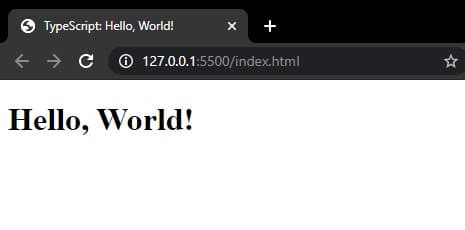
In the previous tutorial, we see the definition and overview of Typescript, and also, we learned what is the usage of the Typescript. Now in this tutorial, we will learn how actually the transpile process is happened and creating the simple hello world code in Typescript.
Let's jump right in.
First app: Hello World
If you’re working in Visual Studio Code, go to File > Open Folder, navigate to the ‘Typescript’ folder on the Desktop and select Open Folder.
 So, after that, you can click on create on file icon which is present inside the highlighted section in the screenshot and create an index.ts file. Below is the screenshot for this.

Copy and paste the code below into your index.ts and save the file.
function sayHello() {
  console.log("Hello, World!");
}

sayHello();
How to compile a TypeScript script
Its time to compile our code into something that can run on the system.
If you’re using Visual Studio Code:
Vscode has an integrated terminal that we can use to compile our TypeScript scripts.
Go to Terminal > New Terminal. The terminal will expand below the code editor and will automatically be pointed to the current folder you’re working in.
To compile and run the app, we use the command "tsc" followed by the file name and .ts extension.
tsc index.ts
This will compile the TypeScript script into a Javascript script. You should see a new file appear in the Project Explorer called ‘index.js’ as shown below.

How to run a compiled Javascript script
In the Terminal, type the following command to run the generated Javascript file.
node index.js
You should see the words ‘Hello, World!’ in the terminal.
NOTE: The generated .js file will have the same name as the original .ts file.
Congratulations! This is all about the basic steps of how you can create a hello world in typescript and observe the compile process by doing some hands-on.
That’s all for today. Hope you enjoy it. Have any question and more on the topic? please comment your thoughts in the comment section down below.